


A major U.S.-based furniture retailer that specializes in selling affordable, stylish home furnishings.
Visit Rooms To Go

button
button
As part of my work at Rooms To Go, I led Phase 2 of the Product Details Page redesign for Room Sets—enabling package customization and improving discoverability, resulting in a 15–17% increase in conversion and higher engagement across key metrics.
Role:
Senior UX Designer (Lead in Phase 2, Contributor in Phase 1)
Team/Company:
UX Team of 4 at Rooms To Go
Problem:
Users struggled to discover available room set variations and rarely explored or upgraded packages
Solution:
Redesigned the PDP above-the-fold experience and introduced package customization capabilities, enabling users to explore, compare, and build room sets dynamically.
Outcome:
- +15–17% increase in conversion
- Increased add-to-cart rate
- Higher engagement (scroll depth, session time)
- Increased room set upgrades and customization
My Contributions:
- Led Phase 2 UX end-to-end
- Co-designed Phase 1 layout restructure
- Facilitated cross-functional alignment
- Conducted and synthesized research and testing
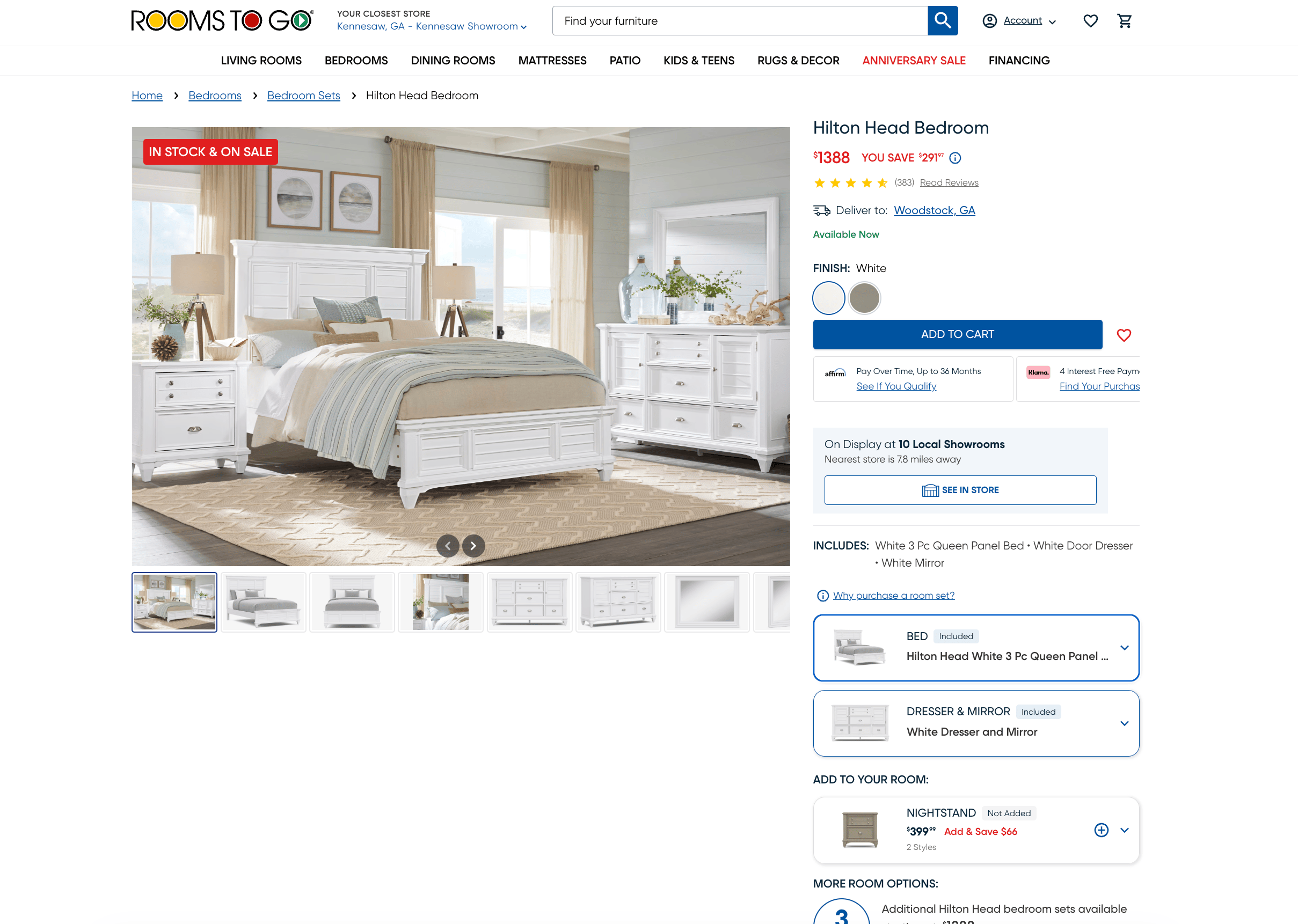
Phase 2 PDP Final Design. Bedroom set shown.
Problem & Context
The Room Set PDP is a critical decision point in the purchase journey. However, the legacy experience created friction at the exact moment users needed clarity.
The original layout prioritized a large image gallery, with limited product information visible above the fold. While basic details were present, deeper exploration required scrolling—something most users didn’t do.
Additionally:
- Users could not easily see alternative room set configurations
- Cross-sell content was buried below the fold
- Generic imagery often didn’t reflect actual product combinations
- The UI felt outdated and lacked flexibility
From a business perspective, this limited:
- Product discoverability within collections
- Opportunities for upselling and upgrades
- Overall conversion efficiency
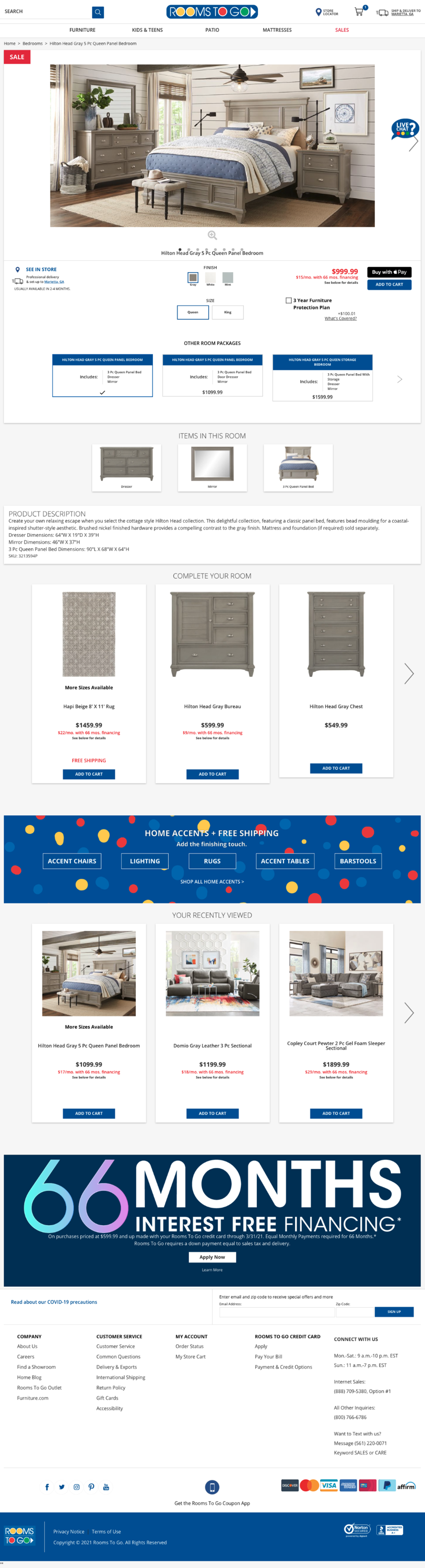
PDP Legacy Design. Bedroom set shown.
Users & Insights
To better understand user behavior, we leveraged a mix of: clickstream analysis, data analytics, and unmoderated usability testing
Key Insights:
- Users rarely scrolled to the bottom of the page
- Interaction with “Other Room Sets” was low
- Users often used the cart as a comparison tool
- Lateral navigation between packages was high
- Room set upgrades were infrequent
These findings revealed a core issue: Users were actively exploring options, but the interface wasn’t supporting that behavior effectively.
Instead of enabling comparison and discovery on the PDP, users were forced to improvise using the cart or navigation.
Strategy & Approach
We reframed the problem from: “How do we present product information?”
→ To: “How might we enable users to explore, compare, and build their ideal room set directly on the PDP?”
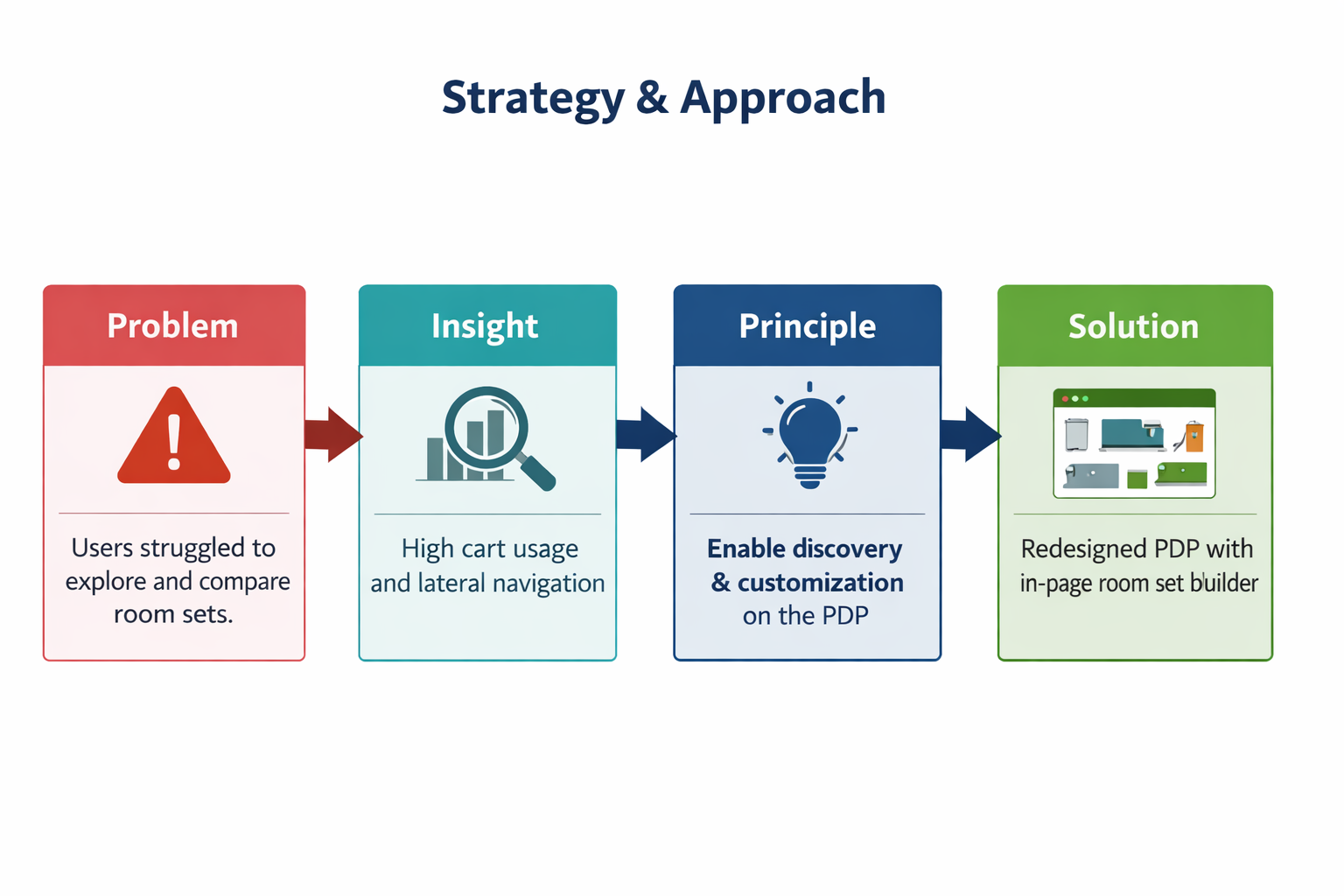
Core Principles:
- Surface critical information above the fold
- Enable exploration without requiring navigation
- Support comparison and decision-making in context
- Reduce reliance on workaround behaviors (e.g., cart comparison)
Hypothesis:
Improving discoverability and enabling customization directly on the PDP would increase engagement, upgrades, and conversion.
Constraints:
- Existing platform limitations
- Business roadmap dependencies
- Need to roll out incrementally across categories
→ This led to a phased approach, balancing impact with feasibility.
Exploration & Iteration
Phase 1:
- Evaluated different layout structures
- Tested visibility of key product information
- Iterated on placement of room set variations
- Adopted a 2 column layout: image gallery (left) and product details (right), which improved scannability and access to critical information.
Phase 2
- Concepts for customization vs static selection
- Different ways to present product combinations
- Interaction patterns for swapping and upgrading items
- Testing Methods used: Unmoderated usability testing, A/B testing and desirability studies - These helped validate usability improvements and refine interactions.
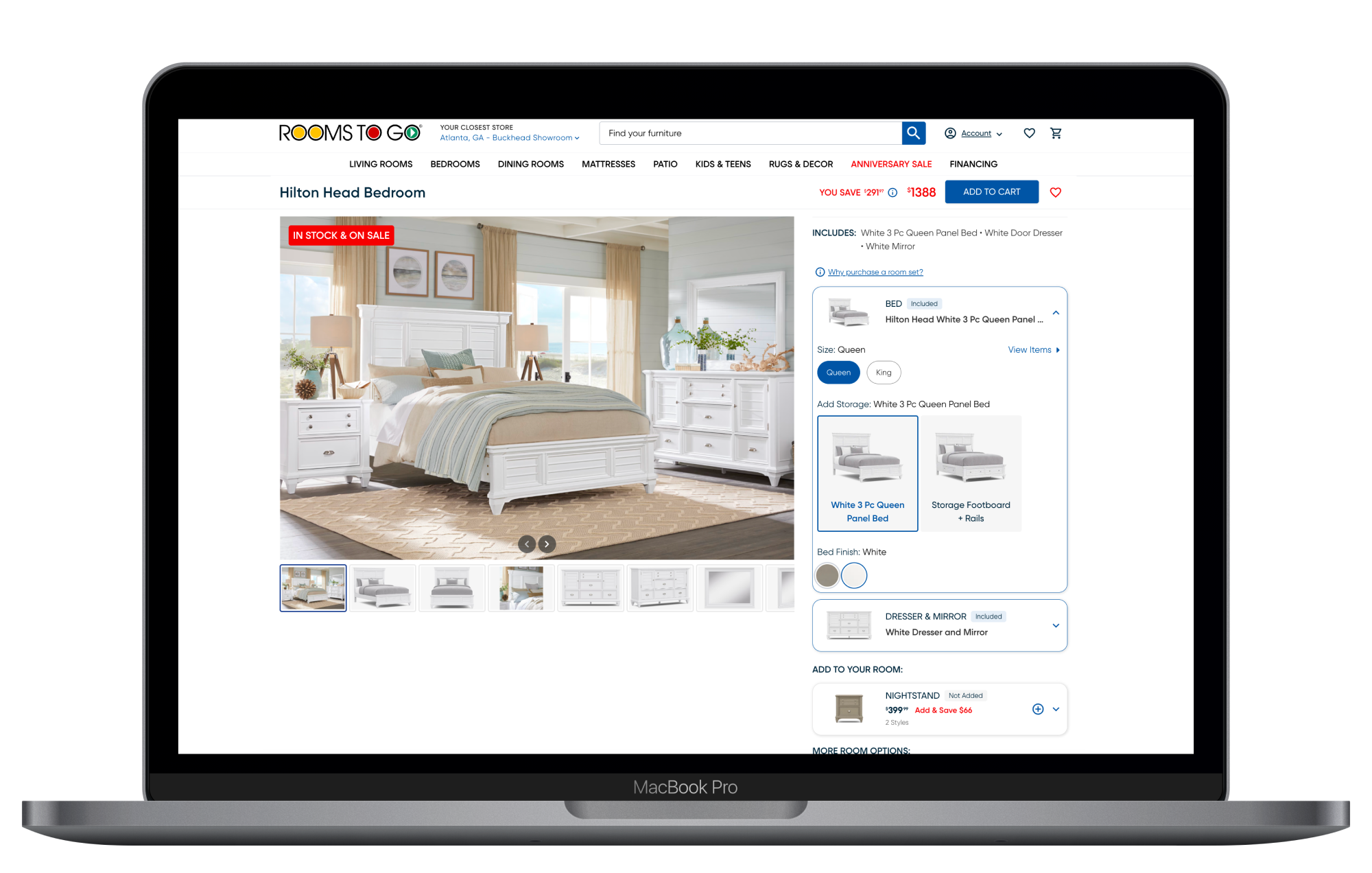
Final Solution
The redesigned PDP transformed from a static display into an interactive, decision-support tool.
Phase 1 Improvements:
- Two-column layout for better information hierarchy
- Above-the-fold visibility of key product details
- Introduction of room set cards for easy comparison
Phase 2 Improvements:
- Room set customization within the PDP
- View all available items in a collection
- Mix and match products
- Swap items for different styles
- Upgrade packages dynamically
- Users could now build a room set tailored to their needs—without leaving the page.
Why It Works:
- Reduces friction in exploration
- Aligns with natural comparison behavior
- Keeps users within a single decision environment

Impact & Results
The redesign led to measurable improvements across key metrics:
- +15–17% increase in conversion rate
- Increased add-to-cart activity
- Higher likelihood of purchasing items added to cart
- Increased room set upgrades (both larger sets and add-ons)
- Improved engagement: longer session times and greater scroll depth
These results validated the core hypothesis:
→ Enabling discovery and customization directly on the PDP improves both user experience and business outcomes.
Role & Reflection
I was responsibilities for leading Phase 2 from concept to delivery, contributed to Phase 1 layout redesign, creating flows, wireframes, and high-fidelity designs as well as facilitating stakeholder alignment
This project reinforced the importance of designing for real user behavior, not ideal flows.
Key Learnings:
- Users will find workarounds if the system doesn’t support their needs
- Surfacing options early is critical in high-consideration purchases
- Incremental rollout enables learning and iteration at scale
What I’d Improve:
- Introduce personalization based on browsing behavior
- Further optimize comparison tools within the PDP
- Expand testing to explore long-term engagement patterns
Next Steps:
- Enhance personalization of room set recommendations
- Introduce smarter defaults based on user preferences
- Continue optimizing customization experience across categories
- Explore deeper integration with cart and checkout flows